Discover how WebGPU is transforming web gaming with enhanced graphics and performance, providing developers with powerful new tools.
WebGPU: Unity 6 & The Future of Graphics in Web Gaming
Why WebGPU Matters Now
WebGPU isn’t just a cleaner API—it’s a paradigm shift. Unlike WebGL, which essentially wrapped the OpenGL ES pipeline inside JavaScript, WebGPU exposes low-level control over GPU resources, command buffers, and asynchronous compute. That means less overhead between your game logic and the hardware. For web games trying to punch above their weight, that reduction in driver and JavaScript overhead matters more than ever.
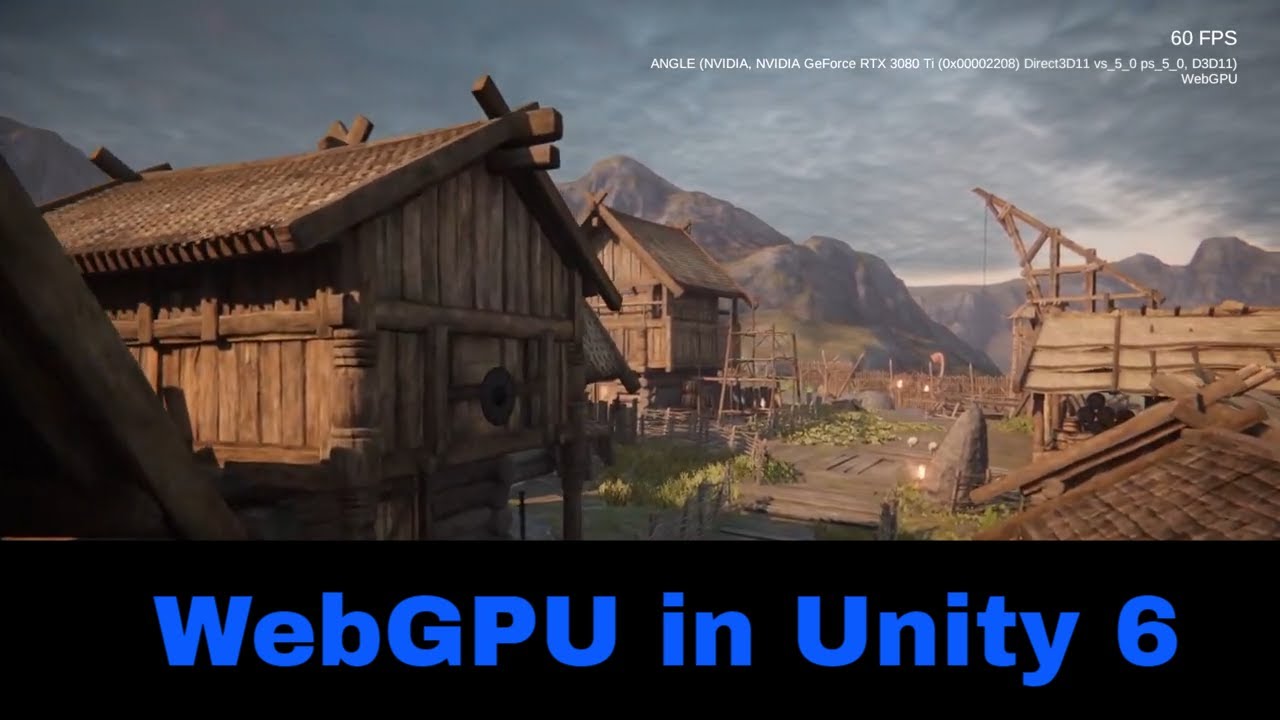
Unity 6 has now introduced experimental WebGPU support in the Web build pipeline. This allows Unity developers to ship browser-based games that can leverage modern GPU features—compute shaders, efficient streaming of data, and reduced CPU load.
What Unity 6 + WebGPU Enables
Here’s what’s exciting under the hood now that WebGPU is part of Unity’s ecosystem:
-
GPU-Driven Rendering Pipelines: Unity’s new rendering pipeline supports GPU-based culling, data streaming, and large-scale scene rendering directly in the browser.
-
Compute Shader Workloads: WebGPU allows Unity games to offload non-graphics tasks—like particle simulations, post-processing effects, and AI calculations—to the GPU, freeing the CPU for gameplay logic.
-
Addressable Asset Streaming: Instead of bundling all assets upfront, developers can now stream geometry, textures, and audio dynamically, significantly reducing load times and memory usage.
-
Hybrid Browser Backends: Depending on the platform, WebGPU seamlessly maps to Vulkan, Direct3D 12, or Metal, ensuring consistent performance across systems and browsers.
Challenges & Performance Tradeoffs
While WebGPU is powerful, it’s still early days for both Unity and browser implementations. Some technical considerations include:
-
Memory Budgeting & GC Pressure: Browsers enforce tighter memory caps than native environments, so developers must use aggressive memory pooling and recycling to prevent garbage collection spikes.
-
Single-Threaded JS Limitations: Although GPU work executes in parallel, Unity’s JavaScript runtime remains mostly single-threaded. Heavy scripting can bottleneck the main thread if not optimized properly.
-
Shader Complexity Limits: Not all desktop shader models translate directly. Certain texture formats and high-complexity shader effects still have limited support in WebGPU builds.
-
Variable Browser Support: WebGPU is still being rolled out across browsers. While it’s a W3C Candidate Recommendation, feature consistency between Chrome, Firefox, and Safari remains in progress.
What This Means for Gamers & Developers
For players, WebGPU represents a leap toward console-quality visuals in the browser. Expect smoother frame rates, denser environments, and effects like real-time lighting and dynamic shadows—all without native installs.
For developers, Unity 6’s WebGPU integration is a major milestone. It gives access to modern rendering techniques like GPU instancing, async compute, and parallel command submission—all from a web build. However, achieving consistent performance still depends on balancing shader complexity, asset streaming, and runtime efficiency.
The Road Ahead
As more browsers adopt full WebGPU support, Unity’s roadmap suggests an even tighter integration—potentially including ray tracing, better WebAssembly threading, and GPU-driven animation systems. Together, Unity 6 and WebGPU are redefining what’s possible for browser gaming—blurring the line between native and web experiences.
Conclusion
WebGPU marks a new chapter for high-performance web graphics, and Unity 6 is at the forefront of that evolution. With developers gaining near-native GPU control and players enjoying dramatically improved visuals, the next generation of browser games is set to rival desktop experiences. The future of web gaming is fast, fluid, and GPU-powered—and it’s arriving sooner than you think.